Designing Effective Image Brackets
Image consistency creates professional, cohesive brackets. All images should share similar dimensions (square or consistent aspect ratio), visual style (photos vs illustrations vs logos), background treatment (transparent, white, or colored), and quality level (all high-resolution or acceptably compressed). Mixing a professional headshot with a blurry phone photo and a cartoon illustration creates visual chaos that undermines credibility. Establish image standards before collecting visuals, specifying required format, size, and style parameters.
Size and placement balance requires careful consideration. Images must be large enough for easy recognition but not so large they dominate the bracket structure or require excessive scrolling. Typically, 100-200 pixel squares work well for digital brackets, while printed brackets might use 1-2 inch squares depending on overall size. Position images consistently, whether above names, beside names, or replacing names entirely. When creating a bracket with images, test your design at actual viewing size to ensure images remain recognizable.
Background and border treatments help images stand out and create visual hierarchy. Subtle borders around images define boundaries and prevent visual bleeding between adjacent elements. Background colors or patterns behind images can indicate status: white backgrounds for active participants, gray for eliminated, gold for winners, or team colors for sports brackets. Consistent treatment across all images maintains professional appearance while status-specific variations communicate information instantly.
Sourcing and Managing Images for Brackets
Copyright compliance is essential when using images in brackets. Never simply download images from Google Image Search or social media without permission. For commercial or public brackets, use licensed stock photos, creative commons images with proper attribution, or images you've created or purchased rights to use. For private, non-commercial brackets (like office March Madness pools), fair use may apply but still carries risks. The safest approach requests permission from image owners or uses only royalty-free sources.
Stock photo services provide legal, high-quality images across categories. Sites like Unsplash, Pexels, and Pixabay offer free images for commercial use. Premium services like Shutterstock or Getty Images provide broader selection and guaranteed rights for commercial applications. For sports teams, official websites often provide downloadable logos for fan use. Restaurants and businesses may provide product photos upon request, especially if inclusion in your bracket offers marketing value.
User-generated content offers authentic images when running voting or community brackets. Request participants submit their own photos when entering the competition, ensuring you have rights to use submitted images. Establish submission guidelines covering file format, size, content restrictions, and quality minimums. Include terms granting you permission to use submitted photos for bracket purposes. User-generated images create authenticity and participant investment, though quality and consistency may suffer compared to professional photography.
Technical Considerations for Image Brackets
File format selection balances quality with file size. PNG files support transparency and maintain sharp edges on logos and graphics, ideal for brackets with varied background colors. JPEG files offer smaller file sizes with slight quality loss, acceptable for photographs where compression artifacts are less noticeable. SVG files provide perfect scaling for vector logos and graphics that need to look crisp at any size. For digital brackets, use PNG for logos and graphics, JPEG for photos. For print brackets, use high-resolution versions of whichever format your source images provide.
Resolution and compression find middle ground between quality and performance. Images at 72 DPI work for screen display, while print requires 300 DPI minimum. Compress images to reduce file sizes without visible quality loss using tools like TinyPNG or Adobe Photoshop's "Save for Web" feature. A bracket with 64 uncompressed images might total 50+ MB, creating slow load times, while properly compressed versions might achieve similar visual quality at 5 MB. Test your bracket on slower connections to ensure acceptable loading performance.
Responsive design ensures image brackets work across devices. On desktop screens, you might display large images with detailed information. On mobile devices, the same bracket might show smaller images in a scrollable format or simplified single-round view. Consider how images scale and whether they remain recognizable at mobile sizes. Some designers create separate desktop and mobile versions rather than attempting truly responsive single designs, accepting the extra work for better user experience across all devices.
Platform-Specific Optimization
Social media platforms favor specific image bracket formats. Instagram prefers square images (1:1 ratio) and supports up to 10 images in carousel posts, perfect for round-by-round bracket progression. Twitter/X displays rectangular images well (16:9 ratio) with single large images getting better engagement than multi-image layouts. Facebook works with various ratios but penalizes extremely tall images requiring excessive scrolling. Create platform-specific versions rather than using one design everywhere to maximize each platform's strengths.
Stories and temporary content formats work exceptionally well for tournament progression. Instagram Stories, Facebook Stories, and Snapchat allow daily bracket updates that create anticipation and routine checking. The vertical format (9:16 ratio) suits mobile viewing perfectly. Temporary nature creates urgency to check updates before they disappear. Interactive elements like polls, questions, and swipe-up links (for accounts with sufficient followers) transform passive viewing into active participation. Using a bracket generator with image support that exports in multiple formats saves time recreating designs for different platforms.
Print considerations differ fundamentally from digital design. Printed image brackets need higher resolution images to avoid pixelation. Color accuracy matters more since screen colors don't always match print output. Consider printing costs, as full-color image brackets on quality paper become expensive quickly. Black and white or limited color versions might be necessary for budget-conscious applications. Paper size constrains design, requiring careful layout to fit readable images within standard letter or tabloid dimensions.
Creative Applications and Use Cases
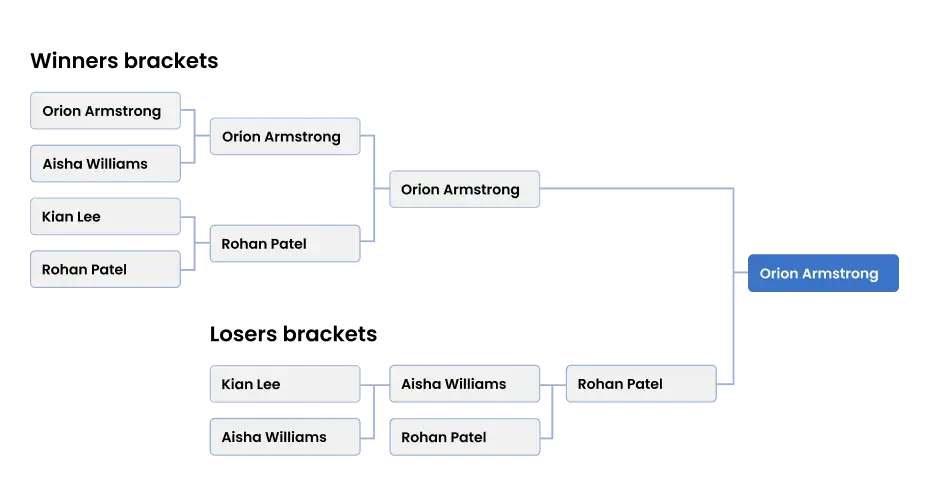
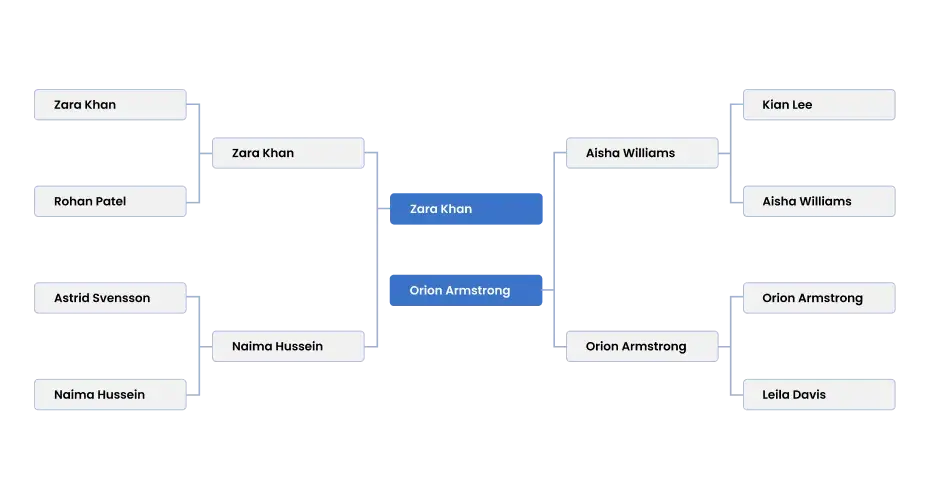
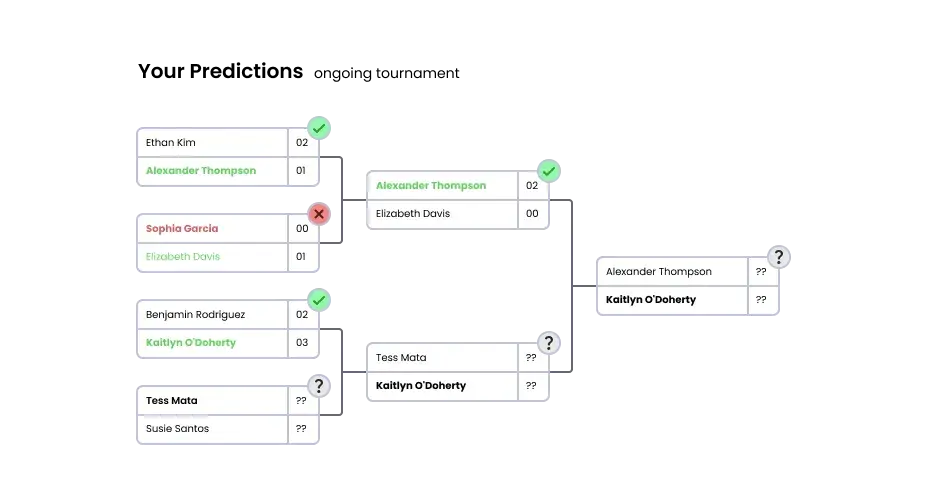
Tournament progression graphics track competition visually as it unfolds. Start with a full bracket showing all participants. After each round, update the bracket showing winners advancing, perhaps with visual effects like highlighting winners, adding checkmarks, or graying out losers. Post these updated brackets after each round, creating a visual narrative of tournament progression. Followers can see at a glance who advanced, who was eliminated, and what matchups are upcoming without parsing text or referencing previous posts.
Before and after brackets create compelling narratives for transformation competitions. Weight loss challenges, home renovation contests, or skill development tournaments can show starting state images on the left side of brackets and final state images on the right, with progression tracked through the tournament structure. This visual storytelling demonstrates change over time within familiar bracket framework, making the format work for non-competitive applications where "winning" means achieving goals rather than defeating opponents.
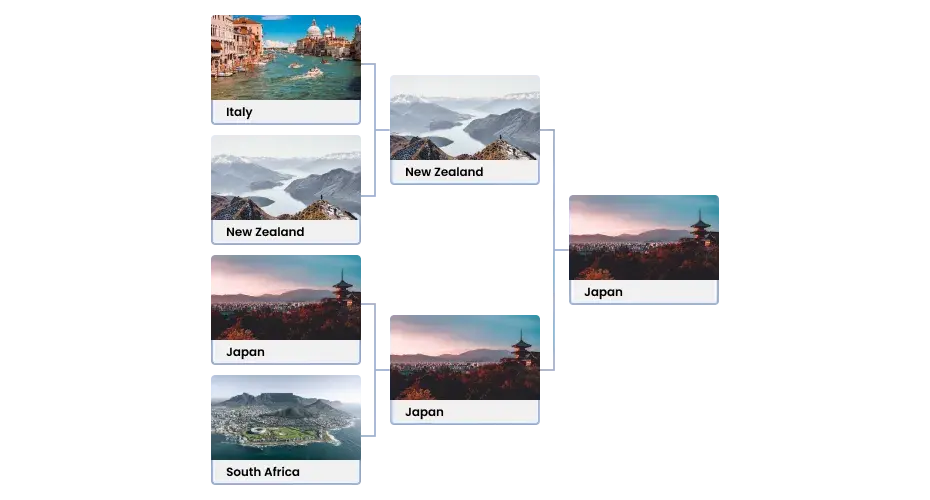
Hybrid text-and-image brackets combine both elements' strengths. Display team logos or participant photos alongside their names, providing visual recognition while maintaining text clarity. This approach works particularly well for mixed audiences where some people recognize images instantly while others need text confirmation. The redundancy ensures everyone can follow the bracket regardless of their familiarity with participants, making it ideal for diverse audiences or educational settings.
Accessibility and Inclusive Design
Alt text provides image descriptions for screen reader users, ensuring visually impaired audiences can access your bracket. Every image should include descriptive alt text explaining what the image shows: "Dallas Cowboys logo," "Chocolate chip cookie," or "Team A player headshot." Platform-native alt text fields handle this automatically, but custom brackets need manual alt text addition. Without alt text, screen reader users hear only "image" without context, excluding them from participation.
Color contrast ensures text overlaying or accompanying images remains readable. Light text on dark images or dark text on light images works, but avoid gray text on gray images or other low-contrast combinations. WCAG accessibility guidelines specify minimum contrast ratios (4.5:1 for normal text) ensuring readability for users with vision impairments. Test your bracket with color blindness simulators to verify that color-coded information (like red for eliminated, green for winners) remains distinguishable for colorblind users through other visual cues beyond color alone.
Text alternatives for image-only brackets maintain accessibility. If your bracket uses only images without text names, provide a text-based version or legend explaining which image represents which participant. Consider including small text labels beneath or beside images rather than replacing text entirely with images. This dual approach serves all users: visual learners process images quickly while text-oriented users or those using assistive technology can read names directly.
Best Practices for Image Bracket Management
Version control prevents confusion when updating brackets. Save each round's bracket separately with clear version numbers or dates in filenames: "bracket-round-1.png," "bracket-round-2.png," etc. This organization allows easy reference to previous versions, rollback if errors occur, and creation of progression animations showing the tournament's evolution. Cloud storage with version history provides automatic backups protecting against accidental overwrites or file corruption.
Automation tools reduce repetitive work when updating image brackets. Spreadsheet-to-bracket generators accept participant lists with image URLs, automatically populating bracket templates without manual image placement. Some advanced tools update brackets automatically as you input results, advancing winning images to next rounds without manual graphic editing. These automation approaches save hours when managing large brackets or tournaments requiring frequent updates.
Quality control checks before publishing prevent embarrassing errors. Verify all images display correctly without broken links or missing files. Confirm text spelling accuracy, especially when manually adding names alongside images. Check that bracket structure matches your tournament format with correct number of rounds and proper connections between rounds. Test the bracket at actual viewing size on multiple devices to ensure readability. When using printable image bracket templates, print a test copy checking that images reproduce clearly before producing final versions.